
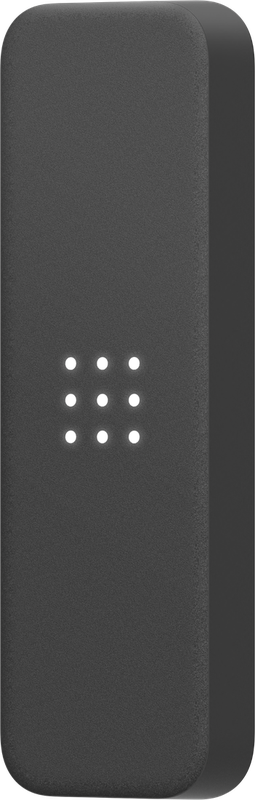
Verkada AD34 door reader
Slim reader for mullion or single-gang mounting, for cards, fobs and phones (Verkada Pass, Apple Wallet). IP65, so it suits outside doors.
AD34 at a glance
| AD34 | |
|---|---|
| Model and variants | AD34-HW |
| Credentials | 125 kHz prox; Verkada DESFire EV3 and MIFARE DESFire (card serial number) |
| Mobile | Verkada Pass app (Bluetooth, Intent Unlock), mobile NFC, Apple Wallet (corporate badges only) |
| Connection | Secure Channel OSDP v2 over RS-485 to a Verkada access controller or intercom |
| Power | 12V, 250mA max |
| Ratings | IP65, IK08 |
| Mounting | Single gang and mullion plates included; mullion 131.2 x 40.7 x 17.6 mm |
| Operating temp | -40 to 65°C, 5-90% RH non-condensing |
| Licence | Verkada licenses the door, not the reader: the door licence on the controller covers it. Mobile NFC credentials take an optional licence per 20 users. |
| Warranty | 10 years |
From Verkada’s datasheets: ad34 door reader datasheet (PDF), product page, help centre. Checked 17 October 2026.
How we install the AD34
Door hardware, cabling, power and the fire alarm interface are all done by our own electricians, so one contractor is responsible for the door working. We set up doors, schedules and credentials in Command and train whoever manages them.
Other access control models: AC12, AC43, AC62, AX11, AD64, AF64. See all on Verkada access control or the model guide.
AD34 questions
What licence does the AD34 need?
Can you add a AD34 to my existing Verkada system?
Do you just supply the AD34, or install it too?
Need the AD34 on your site?
Free survey and a written design with an itemised quote. Call or send the form below.
Book a site survey Call 01727 822 833Tell us what you need
Send us a few details and one of our engineers — not a call centre — will come back to you within one working day.